Obsidian Daily QS
GitHub Repository · Omarchy marketplace · Releases
An Omarchy Quattro bar widget for today's Obsidian daily note todos. The bar shows done/total (for example ☐ 2/5), and left-click opens a panel to check items off, add new ones, search, and roll over leftovers from yesterday -- without leaving the desktop. The first write of a new day creates the note and automatically moves the previous day's open todos into it, so yesterday's note is left with only its done items.
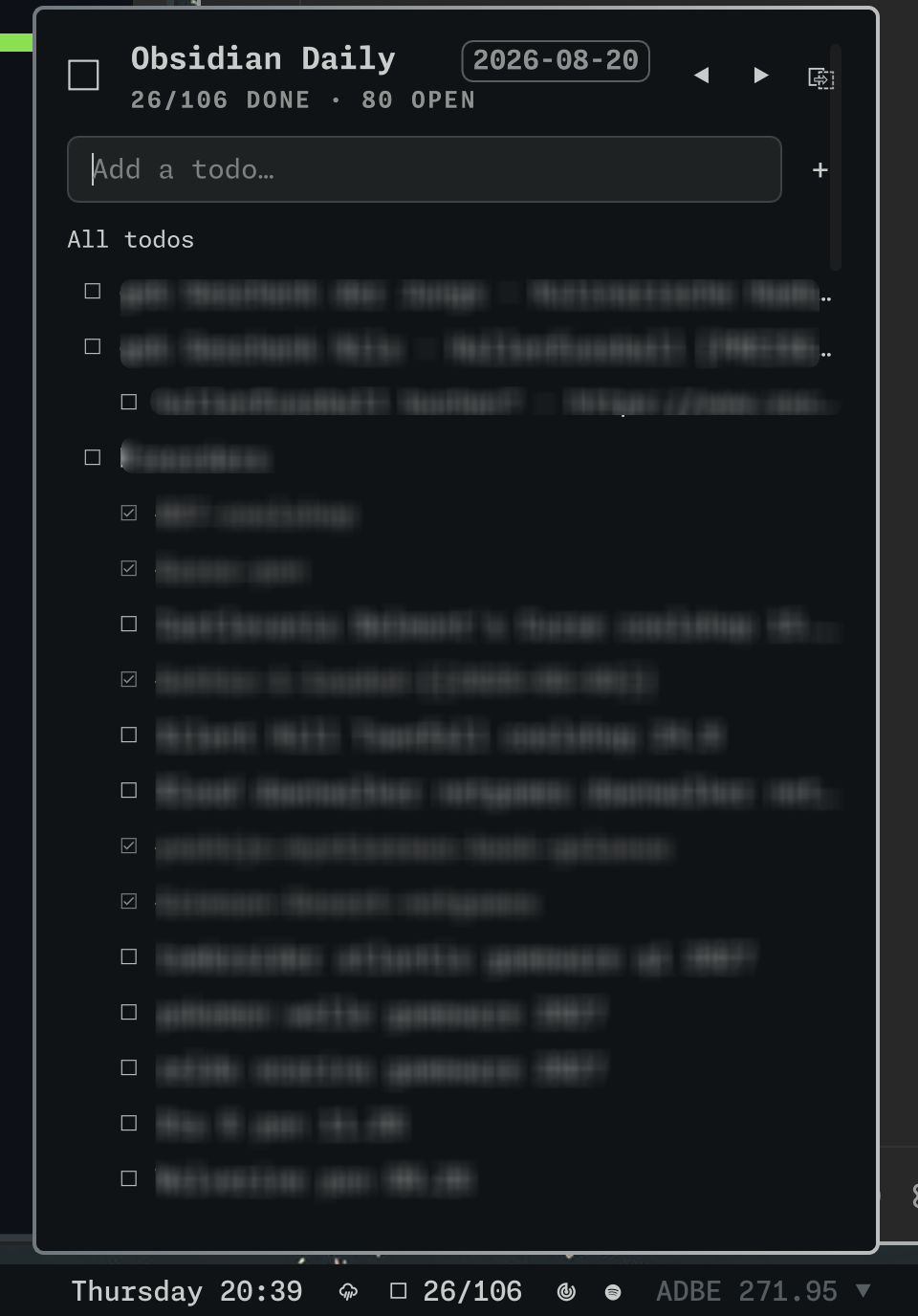
Why this exists
Obsidian is where the day's tasks live, but checking a todo means switching to the editor, scrolling to the right heading, and editing markdown by hand. This widget moves the quick part of that loop -- check off, capture, review -- into the bar: one click opens the panel with focus already in the add field, so a thought is captured before it is gone. The note itself stays a plain markdown file, so nothing is locked into a plugin format.
Architecture
- Rust backend (
obsidian-daily-qsbinary): resolves today's note from the vault's.obsidian/daily-notes.json(folder,format, optionaltemplate), parses markdown checkboxes, adds/toggles items, and streams JSON snapshots. Nested todos (tabs or two-space levels) are parsed intodepth/parentLineand preserved by carry-over. - QML frontend (
omarchy/): abar-widgetplugin.BarWidget.qmlrunsobsidian-daily-qs watchonce and updates from its JSON lines;Panel.qmlshows the list, search, day navigation, and the add field. All note access stays in Rust; the QML is pure presentation and renders note-derived strings asPlainTextonly.
Security
The backend enforces the vault boundary on every access: paths resolved from the daily-notes settings must stay inside the canonicalized vault root, .. and null components are rejected, and note writes go through a temp file created with O_EXCL in the note's directory plus an atomic rename. Since 1.3.1 a symlinked daily-notes folder or note file that resolves outside the vault is refused, and a pre-created *.tmp-obsidian-daily-qs symlink can no longer redirect a write.
Requirements
- Omarchy Quattro (Quickshell-based shell)
- An Obsidian vault with the Daily notes core plugin configured
OBSIDIAN_VAULT_ROOTset to the absolute path of that vault for the graphical session (see below)
Set the vault path
The backend reads OBSIDIAN_VAULT_ROOT from its process environment. The Omarchy shell runs as a child of Hyprland, so an export in ~/.bashrc does not reach it. Set the variable for the graphical session instead:
Option A -- Hyprland env (per-session, applies without logging out):
-- ~/.config/hypr/hyprland.lua
hl.env("OBSIDIAN_VAULT_ROOT", "/home/you/Documents/notizen")
hyprctl reload && omarchy restart shell
Option B -- systemd user environment (applies at next login, also covers apps launched via uwsm-app):
# ~/.config/environment.d/obsidian-vault.conf
OBSIDIAN_VAULT_ROOT=/home/you/Documents/notizen
Setting both keeps the current session working until the next login. Use pgrep -f 'obsidian-daily-qs watch' and /proc/<pid>/environ to verify the backend sees the variable.
Install
omarchy plugin add https://github.com/LucaNerlich/obsidian-daily-qs.git --enable
Update or remove like any marketplace plugin:
omarchy plugin update luca.obsidian-daily
omarchy plugin remove luca.obsidian-daily
The plugin bundles a statically linked x86_64 musl build of the backend (omarchy/bin/obsidian-daily-qs). If the bundled binary cannot start, the widget falls back to an obsidian-daily-qs binary on PATH (cargo install --path .).
Usage
- Bar: shows done/total for today (
☐ 2/5). Left-click opens the panel with focus in the add field. - Panel:
- List todos; click a row to toggle.
- Nested todos render indented; the open-only filter keeps parents of open items visible.
- Scrolls vertically with the mouse wheel, scrollbar, or Up/Down/j/k (when not typing in the add field).
- Search:
/focuses the search field (even from the empty add field); matches filter the list (ancestors stay visible) and combine with open-only. Esc clears and refocuses the add field, second Esc closes. - Add with Enter /
+. - Open only / All todos toggles completed visibility (default from
openOnlysetting). - ◀ / ● / ▶ move to previous day, today, or next day.
- Carry over N (when viewing today) moves yesterday's still-open todos into today (preserving nesting); the previous note keeps only its done todos.
- Open-in-Obsidian launches
obsidian://open?path=…viaxdg-open.
- Shell:
omarchy-shell shell summon luca.obsidian-daily '{}'opens the panel;omarchy-shell shell hide luca.obsidian-dailycloses it.
Settings
Widget settings live in ~/.config/omarchy/shell.json:
omarchy bar set luca.obsidian-daily openOnly true
| Key | Default | Description |
|---|---|---|
openOnly | false | Hide completed checkboxes when the panel opens. Can still be toggled in the panel. |
CLI
export OBSIDIAN_VAULT_ROOT="/path/to/vault"
obsidian-daily-qs status                  # today's snapshot as one JSON line
obsidian-daily-qs status --date 2026-08-19
obsidian-daily-qs watch                   # stream snapshots, one per change
obsidian-daily-qs add --text "Ship plugin"
obsidian-daily-qs add --date 2026-08-19 --text "Backfill"
obsidian-daily-qs toggle --line 12
obsidian-daily-qs carry-over              # move yesterday's open todos into today
obsidian-daily-qs open                    # open the viewed note in Obsidian
Development and releases
Local checks:
cargo fmt --all -- --check
cargo clippy --all-targets -- -D warnings
cargo test --all-targets
node omarchy/model.test.mjs
omarchy plugin validate .
qmllint -I "$OMARCHY_PATH/shell" omarchy/BarWidget.qml omarchy/Panel.qml
make bundle rebuilds the statically linked backend into omarchy/bin/. make verify-bundle is the marketplace gate: non-stripped ELF, matching SHA-256, version alignment with Cargo.toml / manifest.json, and a byte-identical musl rebuild.
Release checklist:
- Bump
Cargo.toml,Cargo.lock,manifest.json, andCHANGELOG.md. - Run
make bundlethenmake verify-bundleon Linux. - Open a PR; wait for the marketplace bundle CI job to be green.
- Merge, then tag
vX.Y.Zmatching the crate version.